Module 1: Introduction
Welcome to the Tech Team. This page is your Stage 2 onboarding: everything you need to do to become an active member, in order.
- Apply questionnaire
- Stage 1 due two weeks after applications close
- Team Interview with your subteam
- You are here Stage 2 onboarding and probation, up to eight weeks
- Active Member after your probation review
How Stage 2 works
- It started the day your Team Interview passed. You are on the team now, and you work and learn inside it, with a mentor where possible.
- Probation runs alongside it. Your review happens at the later of four weeks after joining or finishing Stage 2. It looks at whether you did the work or raised problems early, stayed responsive and worked safely. Probation never runs past eight weeks, and Stage 2 left unfinished at eight weeks ends the placement.
- Required coursework ends at Lecture 11. Later lectures are optional for now, in Further learning.
- Use the module list to move between modules. Tick each task card as you finish it; your progress is saved in this browser only, so clearing site data resets it.
Finish Module 2 (SFU & FAS Required Training) and Module 3 (Racerbot Required Training) as soon as you can. You need both before you get lab access. Nothing in the lab, including club equipment and testing days, happens until you have completed them and been added to the access list.
Discord is how the club runs
Meetings, deadlines, task updates and onboarding news are all posted on Discord, and you are expected to keep up with them.
- Check Discord regularly, not just on meeting days.
- Turn notifications on for mentions and for your team’s channels: #tech-announcements, #tech-team-chat, the #tasks forum.
- React to announcements so your lead knows you have read them.
- Ask questions in your team chat or the #help channel.
How the Tech Team works
The Tech Team keeps the cars running: IT for the cars (Ubuntu, JetPack, the Jetson, remote access), maintaining the car’s physical components, and designing and testing hardware improvements.
- Tasks
- Work is organized in the #tasks forum on Discord. Each task is a
thread with tags for topic and priority and a pinned message listing who is on it.
You pick your own task (first come, first served); nobody assigns you one. Talk to
your task teammates in the thread, and when a task is done, pick another. Work you
produce also goes in the task’s Google Drive folder or GitHub repository.
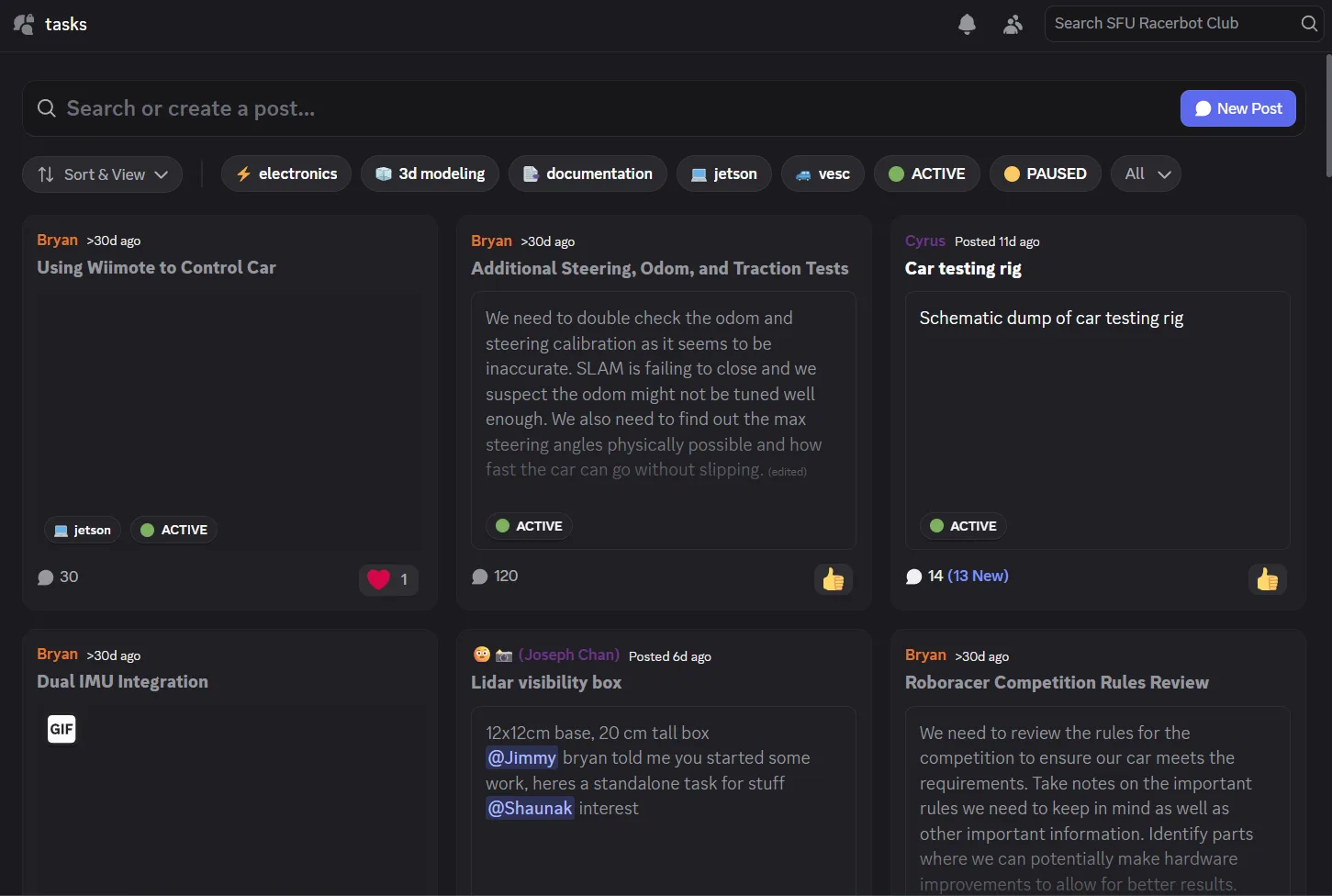
The #tasks forum. Filter by tag along the top; ACTIVE tasks are open to join. - Meetings
- One mandatory meeting each week, in person in ASB 9819; the time is posted in #tech-announcements. Meetings are mostly car testing and discussion, so plan to work on your task outside them. If you will miss one, tell the Tech Team Lead beforehand with a reason and a plan to make up the time.
- Progress reports
- Every two weeks, one report per person, posted in your task’s thread before the weekly meeting. Be specific: what you yourself did and where the task stands.
- Expectations
- Put in 4 to 6 hours a week, stay active on Discord, and be available beyond the weekly meeting. No progress without explanation, or low-effort work, leads to a warning and then the Anti-Slacker Policy.
Module 2: SFU & FAS Required Training
SFU and the Faculty of Applied Sciences (FAS) require this training of every club member. Our lab is the FAS Student Team Lab (ASB 9819), so their rules apply on top of ours.
Complete every course below, then submit all your proof together in the last step. Keep each certificate or screenshot as you finish a course; you upload them all at once on the training verification form. You need this module and Module 3 both finished before you get lab access.
-
SFU Safety Orientation
A short online SFU course. Everyone who uses the lab takes it.
- Open the course below and sign in with your SFU computing ID.
- When the course asks for your supervisor, enter Cheng Li.
- Work through the course and finish its quiz.
- Save your certificate of completion, or a screenshot showing the course is complete. You upload it in the last step.
-
EHS Safety Essentials
SFU's lab safety course. You have to request it first, and SFU adds people to the Canvas course in batches, so request it today even if you take it later. You also need its certificate for the FAS agreement below.
- Open the lab safety training page and fill in the registration form with your name, SFU email, SFU ID, your association to SFU (for most members, undergraduate) and your start month and year at SFU.
- For supervisor, enter Cheng Li. For supervisor's department, choose Engineering.
- Tick Safety Essentials Training, complete the reCAPTCHA and submit.
- Wait for SFU to add you to the Canvas course; it shows up on your Canvas dashboard. Then complete its modules and quizzes.
- Save the certificate of completion. You upload it twice: on the FAS agreement and in the last step.
-
WHMIS (Tech Team)
Workplace hazardous materials training. Required for Tech Team members.
- Open the course below and sign in with your SFU computing ID.
- Complete the course and its quiz.
- Save your certificate or a screenshot showing the course is complete.
-
SFU 3D Printer Safety (Tech Team)
SFU's course on using 3D printers safely. Required for Tech Team members.
- Open the course below and sign in with your SFU computing ID.
- Complete the course and its quiz.
- Save your certificate or a screenshot showing the course is complete.
-
SFU anti-bullying and harassment training
SFU requires this of every club member.
- Open the Canvas course below and work through it.
- Pass the quiz at the end.
- Take a screenshot of the completed quiz.
-
Sign the FAS Student Team Space End-User Agreement
Every member who enters the Student Team Lab signs it, and only currently registered SFU students can get lab access. Do this after EHS Safety Essentials, because the agreement asks for that certificate. The FAS rules it refers to are summarized in POL-09 section 3.
- Open the agreement on CourSys and sign in with your SFU computing ID.
- Fill in the team contacts exactly as follows:
- Team Lead: Bryan Ma, email sfuracerbot@gmail.com
- Team Safety Representative: Aston Kwan Lai, email sfuracerbot@gmail.com
- Faculty Sponsor: Cheng Li, email li_cheng@sfu.ca
- Read and accept each provision.
- Upload your EHS Safety Essentials certificate and submit.
- Save a copy of your signed agreement. This is your proof of signing.
-
Submit your proof on the training verification form
The last step of this module. Once everything above is done, upload all of it in one submission:
- SFU Safety Orientation certificate or screenshot
- EHS Safety Essentials certificate
- WHMIS certificate or screenshot
- SFU 3D Printer Safety certificate or screenshot
- Anti-bullying and harassment quiz screenshot
- A copy of your signed FAS agreement
Module 3: Racerbot Required Training
The club's own training: how Racerbot is run, how we test the cars safely, and the lab rules. All our safety documents live in the Lab Safety hub.
Read each document, then pass its quiz. Every quiz needs more than 70% and you can retry as often as you like. The in-person safety check comes last; once you pass it, and Module 2 is done, you are added to the lab access list.
-
Guide for New Members and governance quiz
What the club expects from you, the rules every member follows, your rights, and the lab rules, in plain language.
- Read the Guide for New Members.
- Take the governance quiz (15 short questions).
-
Racerbot car testing safety
How we run the cars safely on testing days.
- Read SOP-TECH-02 Vehicle Testing.
- Take the Vehicle Testing quiz.
-
Lab Safety Plan and General Resources
The plan that governs all work in the lab, plus the general safety resources.
-
SOP-TECH-01 Lithium Battery Safety
Handling, charging and storing the LiPo batteries that power the cars.
-
SOP-TECH-04 3D Printing
Safe operation of the team's 3D printers.
-
SOP-TECH-05 Soldering and Electronics Assembly
Safe soldering and electronics assembly practice.
-
SOP-TECH-06 Lab Operations
Day-to-day lab operations and housekeeping.
-
Risk Assessment
The team's risk assessment and its identified controls, in section 5 of the Lab Safety Plan.
-
Lab rules
The rules for working in ASB 9819, from POL-03 section 4. They apply to everyone in the lab.
- Sign in and out on the QR-code form at the lab door every time, and sign club tools out and back in on the same form.
- Never work alone: at least one other authorized person must be in the lab.
- No visitors without FAS approval in advance, requested through the Operations Coordinator. Never prop the door open or leave it unlocked. No more than 16 people from all teams at once.
- No food or drink unless sealed in a closed bag. Lab surfaces are treated as contaminated with lead, so wash your hands after working.
- Wear protective equipment suited to the task, including eye protection where needed and closed-toe, closed-heel shoes.
- Only approved activities. No soldering in ASB 9819; it happens in Lab 1 only.
- The lab is shared. Never use another team’s equipment without consent, or photograph or share their project.
- Tag out and report damaged equipment to the Operations Coordinator.
- For now, only Tech Team members can use the lab outside scheduled meeting times.
Breaking the access, working-alone, visitor or approved-activity rules can cost the whole team its lab access.
-
In-person safety check (the last step before lab access)
A one-on-one, 10-minute check in ASB 9819 with the Tech Team Lead, the Operations Coordinator or the President.
- Make sure Module 2 is done (proof submitted) and you have passed every quiz in this module.
- Ask in Discord to book a time.
- Come to the lab in closed-toe, closed-heel shoes. You don't need to bring your certificates.
- Once you pass, you are added to the FAS lab access list.
Module 4: Racerbot Resources
A short guide to where everything lives. Read it through once now, then come back whenever you need to find something.
This module has a single checkbox, at the bottom. Open each link as you go so you know what each place looks like.
The resources library
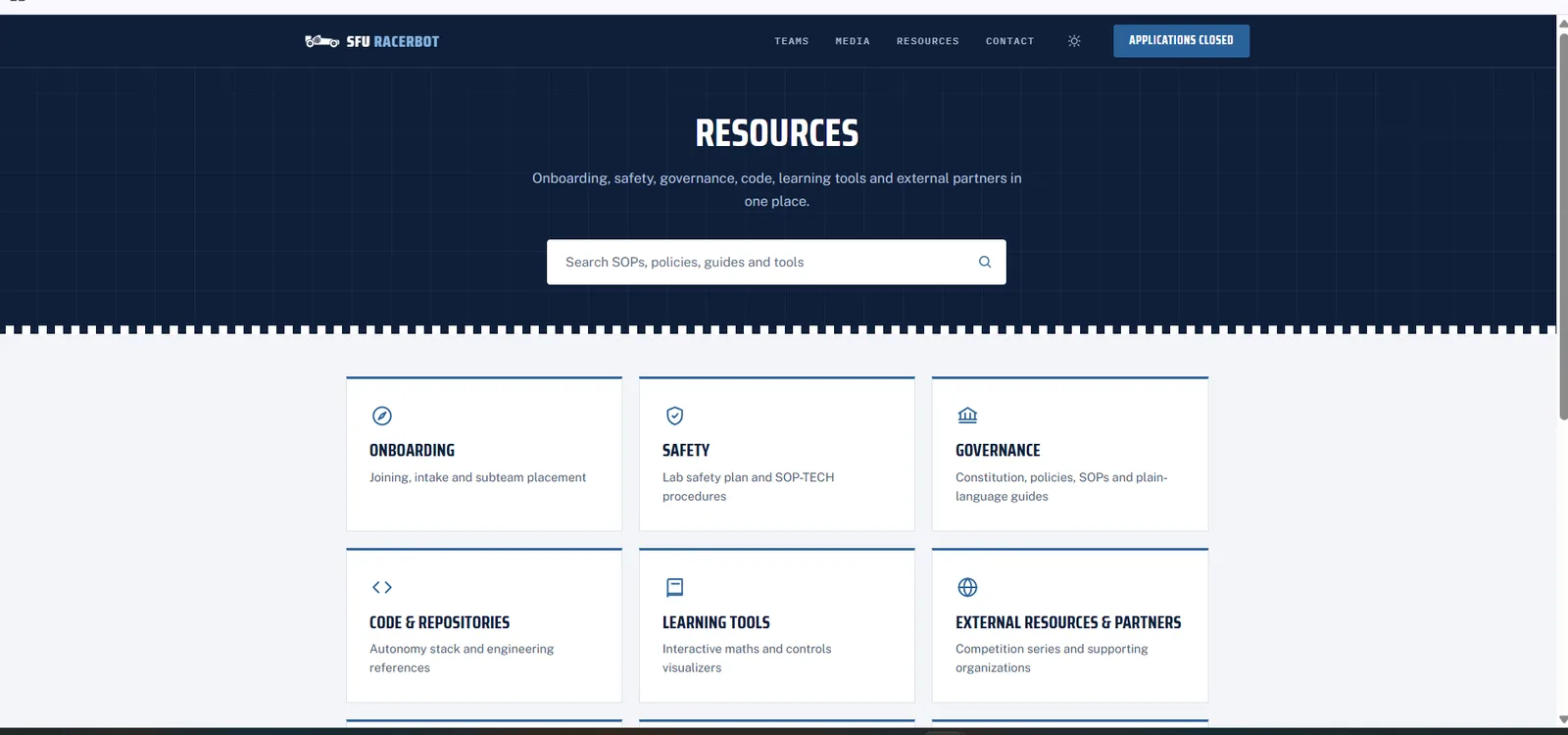
Everything the club has written down starts at the Resources page: onboarding, safety, governance, code, learning tools and partners. When you are not sure where something lives, start here.
Use it for: finding any club page quickly. The search box at the top searches every SOP, policy, guide and tool.
RoboRacer resources
RoboRacer (formerly F1TENTH) is the platform and competition we build on. Our RoboRacer page collects the official sites: the build documentation, the course kit with every lecture and lab, the simulator and the competition rules.
Use it for: course material, official build references and race rules.
Team docs repository (racerbot-docs)
The notes, lab instructions and workflow guides we write ourselves. Every lecture you study has team notes here, and ROADMAP.md lays out the whole course. Read the notes alongside each lecture: they explain the material better than the slides alone.
Use it for: lecture notes, lab instructions and how-to guides.
Code
Our software lives in the sfu-racerbot GitHub organization. The repositories you will use most are the car workspaces that run on the real cars and racerbot_ws, the shared ROS 2 workspace.
Use it for: source code, issues and pull requests.
Docs and learning tools
Interactive tools for the maths behind the car (vectors, rigid body transforms, PID control) and an interactive car systems diagram. Docs holds the workspace documentation for both cars and the setup guides.
Use it for: building intuition for the maths in the lectures.
IT services, dashboards and runs
How to reach the cars and the pit PC remotely, how to test code on the real car, and coding with the team’s AI tools. The web dashboards show what each car sees live, and the run library replays recorded runs. To get access to a device, ask the @IT-services role on Discord.
Use it for: working with the real cars.
Governance, safety and team policies
The Constitution, club policies and procedures, the Lab Safety Plan and SOPs, and each team’s own rules for tasks, meetings and expectations.
Use it for: checking a rule, a safety procedure or what your team expects of you.
-
I have read this guide
Tick this once you have worked through every section above.
Module 5: RoboRacer Theory
The same core lectures the Autonomous team studies: reactive methods, mapping and localization, and planning and control, through Lecture 11. Tech members learn the theory so the car's software makes sense when you work around it.
-
Tutorial 4: Getting to Know the Car, Battery and Safety
Meet the physical car: its parts, the LiPo battery and the safety rules around both.
Key concepts: car hardware, LiPo battery handling, safety.
More: course tutorial page.
-
Lecture 5: Follow the Gap - Obstacle Avoidance
Introduces reactive obstacle avoidance using Follow-the-Gap for fast, map-free navigation.
Key concepts: safety bubbles, disparity extension, gap selection, LiDAR-based speed control.
-
Lecture 6: Vehicle States and Vehicle Dynamics
Introduces vehicle states, dynamics models, tire behaviour and map representations for modeling, simulation, planning and autonomous driving.
Key concepts: vehicle states, dynamics models, tire behaviour, understeer/oversteer, map representations.
-
Lecture 7: Filtering
Introduces probabilistic state estimation using Bayes, Kalman and particle filters to fuse odometry and LiDAR measurements.
Key concepts: Bayes filter, Kalman filter, particle filter, sensor fusion.
-
Lecture 8: Localization - Particle Filter
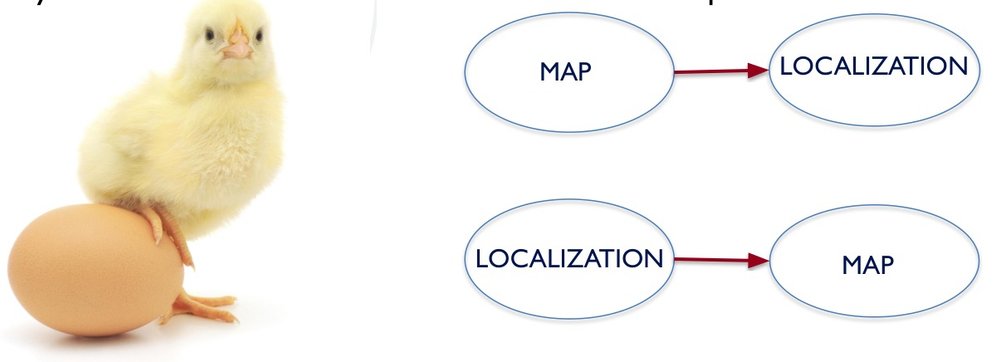
Introduces SLAM, occupancy grid mapping and particle filter localization for accurate map-based vehicle localization.
Key concepts: occupancy grids, Hector SLAM scan matching, particle filter localization, resampling, AMCL with KLD sampling.
-
Lecture 9: Introduction to Graph-based SLAM
Introduces graph-based SLAM for correcting accumulated localization and mapping errors.
Key concepts: pose graphs, spatial constraints, loop closure, least-squares optimization, scan matching.
-
Lecture 10: Pure Pursuit
Introduces Pure Pursuit path tracking, including lookahead-based goal selection, curvature and steering control, speed-dependent tuning, ROS integration and the limitations of the kinematic model.
Key concepts: lookahead point, curvature and steering control, speed-dependent tuning, kinematic-model limits.
-
Lecture 11: Local Planning - RRT and Spline-Based Planners
Local planning methods for driving around obstacles while following a global plan.
Key concepts: RRT, spline-based planners, local planning.
Module 6: Vehicle Knowledge
What the physical car is: its parts, the LiPo battery and the safety rules around both, the official build guide end to end, and the quiz that confirms you know the car's systems.
-
RoboRacer build documentation
Read the official build guide end to end: chassis, autonomy elements, wiring and power.
-
Build Documentation Quiz
Sixteen questions on the build guide and the car's systems. The question bank and answer key are in the sheet; the scored Google Form version is being set up.
Open the question bank Scored quiz — being set up
Module 7: Linux Terminal Assessment
The assessment is being rolled out. Your lead will announce it in Discord.
Every new tech member proves terminal fluency before working on a car: reaching the team's computers remotely, then a hands-on drill in a sandbox shaped like the car workspace. Once you pass, the code testing docs take you onto the real car.
-
Remote access
How to reach the cars and the pit PC from anywhere, and what Cloudflare Access is.
-
Linux terminal skills assessment (required)
A self-contained drill on the team's shared PC that every new tech member passes before working on a car. You SSH into a shared account, land in a fresh randomized sandbox shaped like the real car workspace, and complete a pre-race checkout: read the docs with
glow, find a hidden code and a fault in real logs, fix a config inmicro(the deadman safety policy is enforced), make a script executable, run it sourced with a launch argument, keep it alive intmux, stop it safely with Ctrl-C, and file a short report.Key concepts: terminal fluency: reading docs and logs, editing configs, running and supervising scripts. It is auto-graded out of 100, you can re-check as often as you like, and every login deals a new randomized attempt. It tests terminal fluency, not ROS 2 depth; the on-car ROS 2 commands come after, with a lead.
Prepare: terminal foundations Coming soon — your lead will announce it in Discord -
Testing code on the car
Once the assessment is done, the real workflow: building, launching, testing and shutting down on the actual workspace.
Module 8: Circuit Challenge
The circuit assessment checks basic circuit reasoning before you work on the car's electronics. It is graded out of 10, passes at 8, and has no retry limit.
-
Circuit challenge
Answer five circuit-reasoning questions, then design and simulate one 12 V switched circuit in the Falstad simulator and submit the share link.
Module 9: CAD and the RB-1 Challenge
The CAD path takes you from no CAD experience to a review-ready parametric model. Only the final RB-1 challenge is assessed: it passes or comes back for revision, with no retry limit.
-
CAD learning path and RB-1 challenge
New to CAD? Start from zero with the official Fusion or SOLIDWORKS tutorial track, finish the practice drills, then recreate the RB-1 training airplane from six reference screenshots and submit it for review.
Further learning (optional)
Nothing here is required for Stage 2. Required coursework ends at Lecture 11; the later lectures are optional for now and the team will cover them later. Work through them whenever you want to get ahead.
Vision
-
Lecture 12: Classical Perception
Classical (non-learned) perception techniques, from the Vision module.
Key concepts: classical perception, vision pipelines.
-
Lecture 13: Machine Learning Perception
Machine-learning perception techniques, from the Vision module.
Key concepts: learned perception, neural-network vision.
Advanced perception and racing
Detection, raceline optimization and model predictive control.
- Lecture 17: Detection and Pose Estimation
- Lecture 18: Extending Single View and YOLO
- Lecture 19: Project Proposal
- Lecture 20: Raceline Optimization
- Lecture 21: Model Predictive Control
- Lecture 22: Moral Decision Making
- Lectures 23–25: Special Topics
Race preparation
How the course ends: project demos, race prep and the Grand Prix.
- Lecture 26: Project Demos
- Lecture 27: Race Prep
- Lecture 28: Race 3: RoboRacer Grand Prix