Module 1: Introduction
Welcome to Marketing. This page is your Stage 2 onboarding: everything you need to do to become an active member, in order.
- Apply questionnaire
- Team Interview with your subteam
- You are here Stage 2 onboarding and probation, up to eight weeks
- Active Member after your probation review
How Stage 2 works
- It started the day your Team Interview passed. You are on the team now, and you work and learn inside it, with a mentor where possible.
- Probation runs alongside it. Your review happens at the later of four weeks after joining or finishing Stage 2. It looks at whether you did the work or raised problems early, stayed responsive and worked safely. Probation never runs past eight weeks, and Stage 2 left unfinished at eight weeks ends the placement.
- Use the module list to move between modules. Tick each task card as you finish it; your progress is saved in this browser only, so clearing site data resets it.
Finish Module 2 (SFU & FAS Required Training) and Module 3 (Racerbot Required Training) as soon as you can. You need both before you get lab access. Nothing in the lab, including club equipment and testing days, happens until you have completed them and been added to the access list.
Discord is how the club runs
Meetings, deadlines, task updates and onboarding news are all posted on Discord, and you are expected to keep up with them.
- Check Discord regularly, not just on meeting days.
- Turn notifications on for mentions and for your team’s channels: #marketing-announcements, #marketing-chat.
- React to announcements so your lead knows you have read them.
- Ask questions in your team chat or the #help channel.
Module 2: SFU & FAS Required Training
SFU and the Faculty of Applied Sciences (FAS) require this training of every club member. Our lab is the FAS Student Team Lab (ASB 9819), so their rules apply on top of ours.
Complete every course below, then submit all your proof together in the last step. Keep each certificate or screenshot as you finish a course; you upload them all at once on the training verification form. You need this module and Module 3 both finished before you get lab access.
-
SFU Safety Orientation
A short online SFU course. Everyone who uses the lab takes it.
- Open the course below and sign in with your SFU computing ID.
- When the course asks for your supervisor, enter Cheng Li.
- Work through the course and finish its quiz.
- Save your certificate of completion, or a screenshot showing the course is complete. You upload it in the last step.
-
EHS Safety Essentials
SFU's lab safety course. You have to request it first, and SFU adds people to the Canvas course in batches, so request it today even if you take it later. You also need its certificate for the FAS agreement below.
- Open the lab safety training page and fill in the registration form with your name, SFU email, SFU ID, your association to SFU (for most members, undergraduate) and your start month and year at SFU.
- For supervisor, enter Cheng Li. For supervisor's department, choose Engineering.
- Tick Safety Essentials Training, complete the reCAPTCHA and submit.
- Wait for SFU to add you to the Canvas course; it shows up on your Canvas dashboard. Then complete its modules and quizzes.
- Save the certificate of completion. You upload it twice: on the FAS agreement and in the last step.
-
SFU anti-bullying and harassment training
SFU requires this of every club member.
- Open the Canvas course below and work through it.
- Pass the quiz at the end.
- Take a screenshot of the completed quiz.
-
Sign the FAS Student Team Space End-User Agreement
Every member who enters the Student Team Lab signs it, and only currently registered SFU students can get lab access. Do this after EHS Safety Essentials, because the agreement asks for that certificate. The FAS rules it refers to are summarized in POL-09 section 3.
- Open the agreement on CourSys and sign in with your SFU computing ID.
- Fill in the team contacts exactly as follows:
- Team Lead: Bryan Ma, email sfuracerbot@gmail.com
- Team Safety Representative: Aston Kwan Lai, email sfuracerbot@gmail.com
- Faculty Sponsor: Cheng Li, email li_cheng@sfu.ca
- Read and accept each provision.
- Upload your EHS Safety Essentials certificate and submit.
- Save a copy of your signed agreement. This is your proof of signing.
-
Submit your proof on the training verification form
The last step of this module. Once everything above is done, upload all of it in one submission:
- SFU Safety Orientation certificate or screenshot
- EHS Safety Essentials certificate
- Anti-bullying and harassment quiz screenshot
- A copy of your signed FAS agreement
Module 3: Racerbot Required Training
The club's own training: how Racerbot is run, how we test the cars safely, and the lab rules. All our safety documents live in the Lab Safety hub.
Read each document, then pass its quiz. Every quiz needs more than 70% and you can retry as often as you like. The in-person safety check comes last; once you pass it, and Module 2 is done, you are added to the lab access list.
-
Guide for New Members and governance quiz
What the club expects from you, the rules every member follows, your rights, and the lab rules, in plain language.
- Read the Guide for New Members.
- Take the governance quiz (15 short questions).
-
Racerbot car testing safety
How we run the cars safely on testing days.
- Read SOP-TECH-02 Vehicle Testing.
- Take the Vehicle Testing quiz.
-
Lab rules
The rules for working in ASB 9819, from POL-03 section 4. They apply to everyone in the lab.
- Sign in and out on the QR-code form at the lab door every time, and sign club tools out and back in on the same form.
- Never work alone: at least one other authorized person must be in the lab.
- No visitors without FAS approval in advance, requested through the Operations Coordinator. Never prop the door open or leave it unlocked. No more than 16 people from all teams at once.
- No food or drink unless sealed in a closed bag. Lab surfaces are treated as contaminated with lead, so wash your hands after working.
- Wear protective equipment suited to the task, including eye protection where needed and closed-toe, closed-heel shoes.
- Only approved activities. No soldering in ASB 9819; it happens in Lab 1 only.
- The lab is shared. Never use another team’s equipment without consent, or photograph or share their project.
- Tag out and report damaged equipment to the Operations Coordinator.
- For now, only Tech Team members can use the lab outside scheduled meeting times.
Breaking the access, working-alone, visitor or approved-activity rules can cost the whole team its lab access.
-
In-person safety check (the last step before lab access)
A one-on-one, 10-minute check in ASB 9819 with the Tech Team Lead, the Operations Coordinator or the President.
- Make sure Module 2 is done (proof submitted) and you have passed every quiz in this module.
- Ask in Discord to book a time.
- Come to the lab in closed-toe, closed-heel shoes. You don't need to bring your certificates.
- Once you pass, you are added to the FAS lab access list.
Module 4: Racerbot Resources
A short guide to where everything lives. Read it through once now, then come back whenever you need to find something.
This module has a single checkbox, at the bottom. Open each link as you go so you know what each place looks like.
The resources library
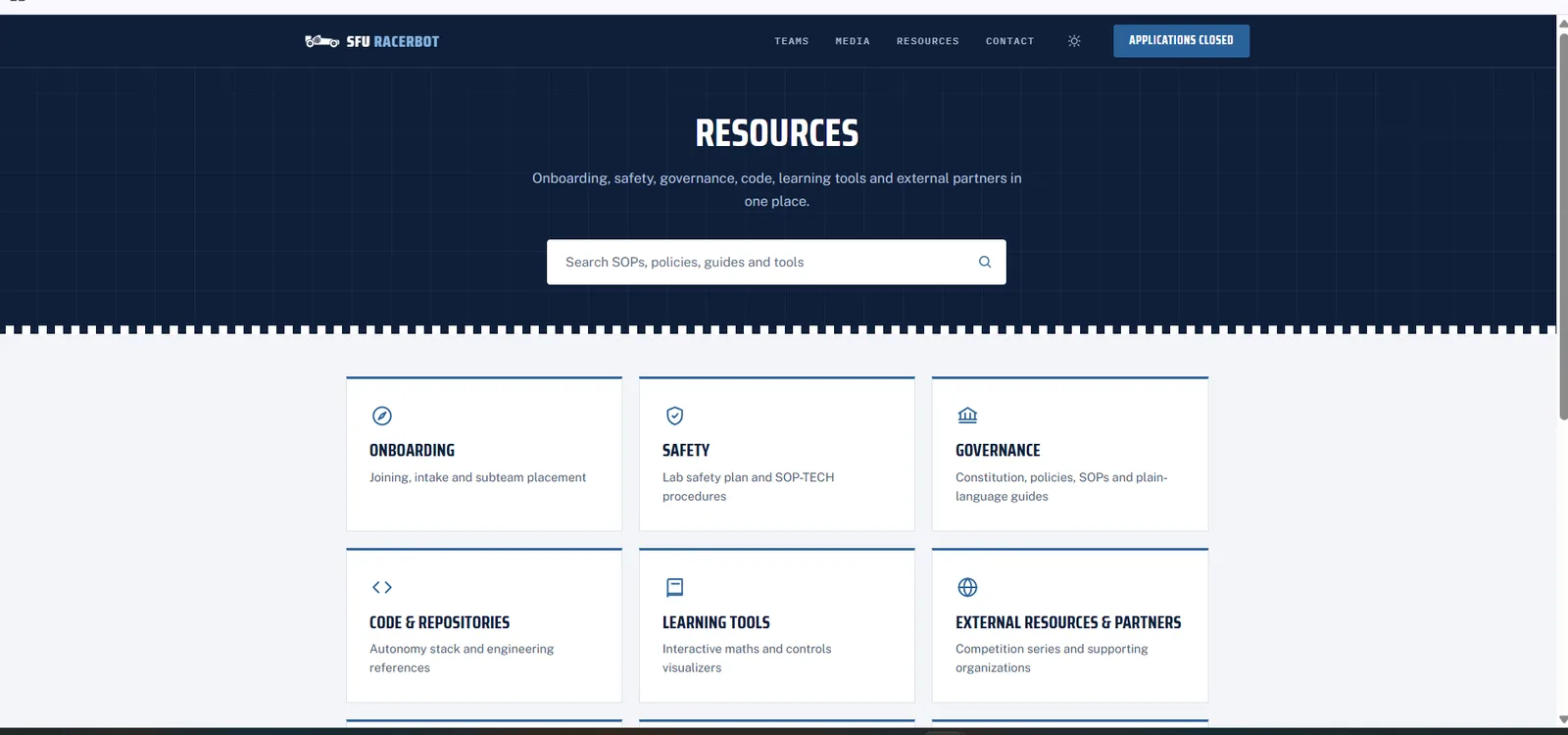
Everything the club has written down starts at the Resources page: onboarding, safety, governance, code, learning tools and partners. When you are not sure where something lives, start here.
Use it for: finding any club page quickly. The search box at the top searches every SOP, policy, guide and tool.
Our teams and what they build
Marketing tells the story of what the technical teams build. The Teams page explains each subteam and the cars, and the RoboRacer page explains the competition we race in. Know both well enough to describe them in a caption or a video.
Use it for: getting the facts right in posts, videos and captions.
Media
The media page is the public gallery of club photos and videos. On Discord, #photo-album-2026 collects photos from events and testing days, and the #marketing-resources forum holds the team’s working material.
Use it for: finding existing photos and footage before you shoot new ones.
Partners and sponsors
The organizations that back the team and the competition series we race in. Sponsorship enquiries go through the contact page.
Use it for: crediting partners correctly and pointing sponsors to the right place.
Governance, safety and team policies
The Constitution, club policies and procedures, the Lab Safety Plan and SOPs, and each team’s own rules for tasks, meetings and expectations.
Use it for: checking a rule, a safety procedure or what your team expects of you.
-
I have read this guide
Tick this once you have worked through every section above.
Module 5: Marketing Onboarding
The Marketing team's own onboarding: the subteam, how the club is organized, this term's marketing plan and your first tasks.
-
Marketing Onboarding presentation
Subteam introduction, how the club is organized, the term's marketing plan, and your first tasks. No quiz; keep it as a reference.
-
Probationary assignment
In your first two weeks, the Marketing Lead gives you a first piece of real marketing work. It is reviewed as part of your probation, so ask early if anything about it is unclear.
-
Technical onboarding, optional
You can also work through the Autonomous or Tech track material. It is a lot of work and not required for Marketing, so only do it if it interests you.